Adding a new account ( Mac Mail )
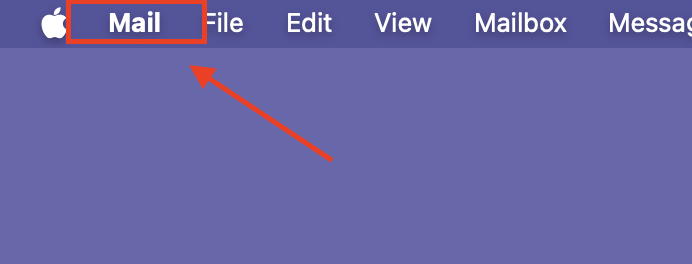
To add an account to mac mail, have the customer select the "Mail" tab from the desktop
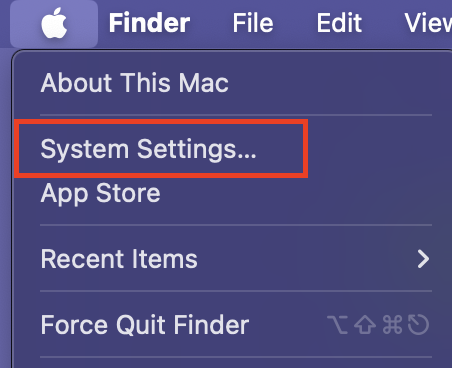
Have the customer navigate to system settings
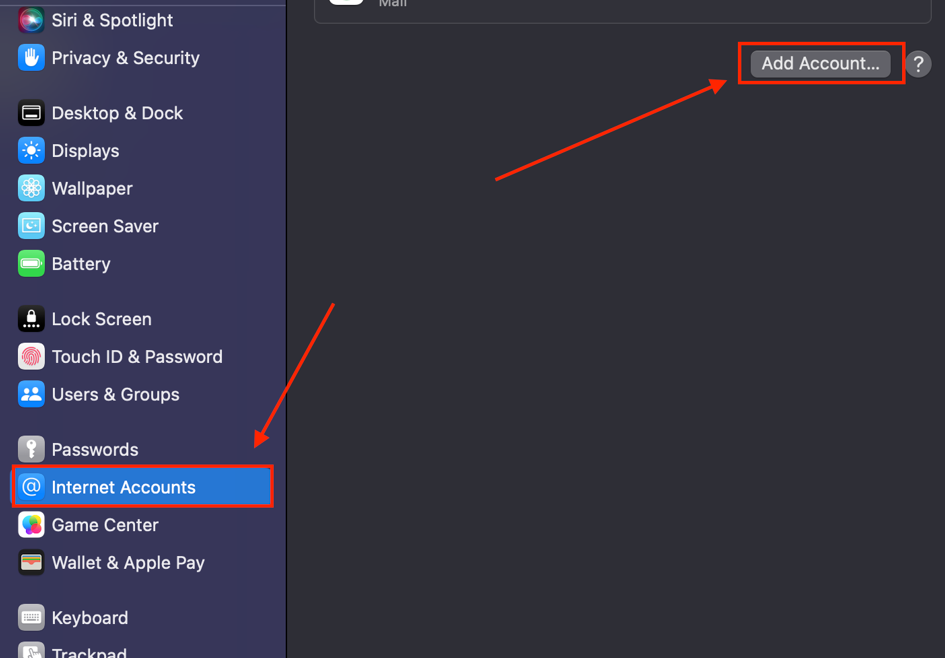
From the system settings screen have the customer select "internet Accounts" then click on " Add Account
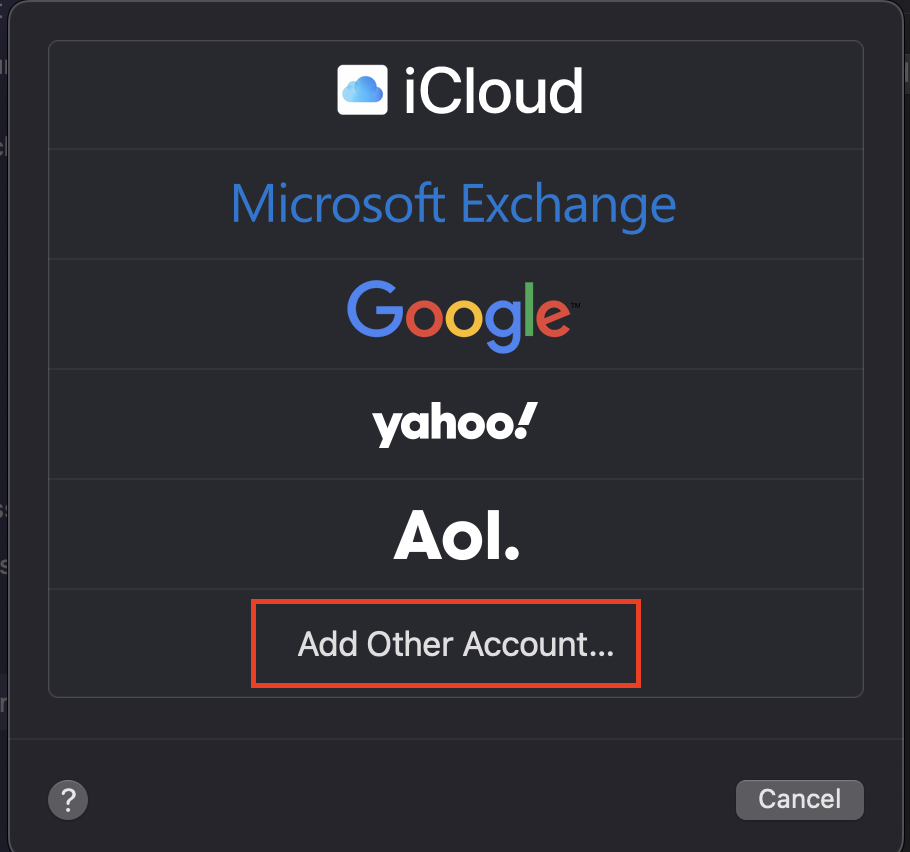
Once selected have the customer select the option for "Add Other Account"
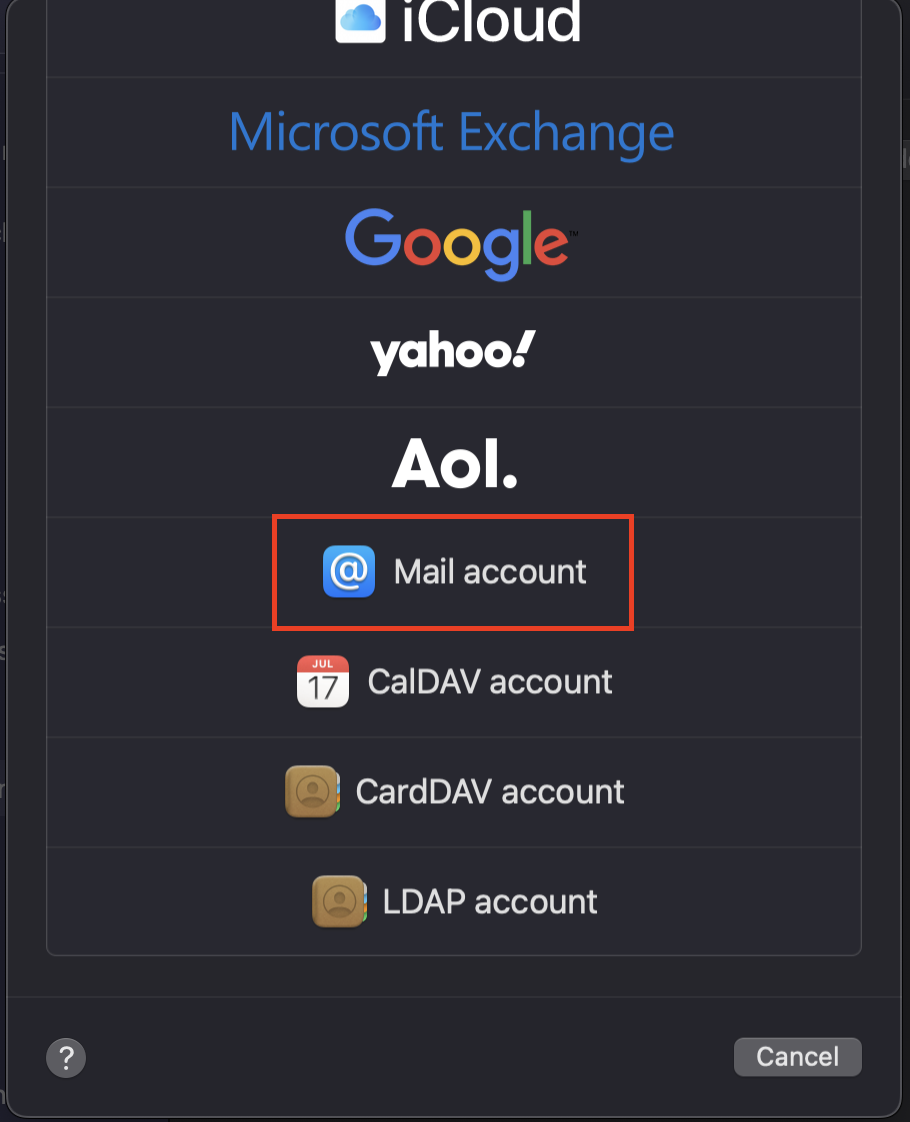
Select "Mail Account"
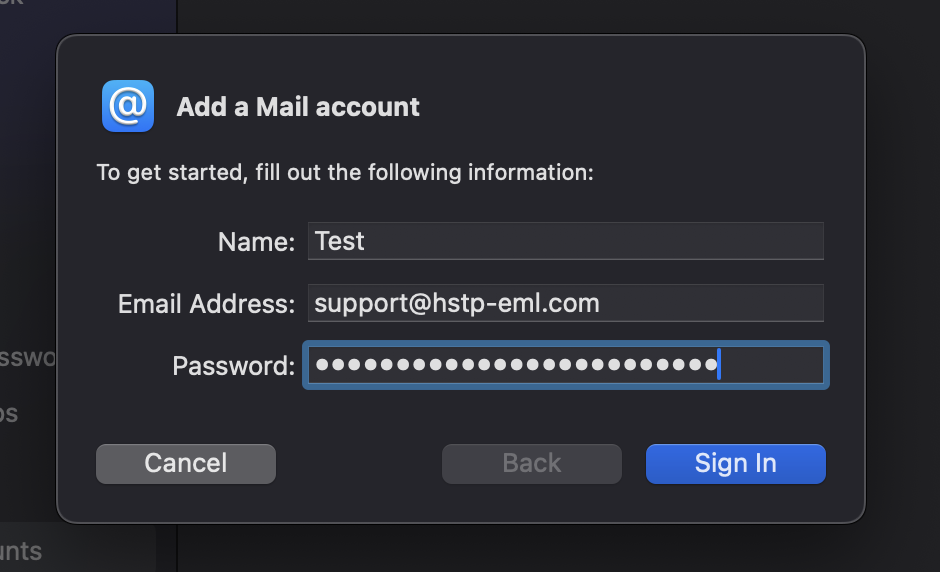
Have the customer enter the Name Email address and password for the account they want to set up.
( note if you wish to dictate what account type is set intentionally enter an incorrect password)
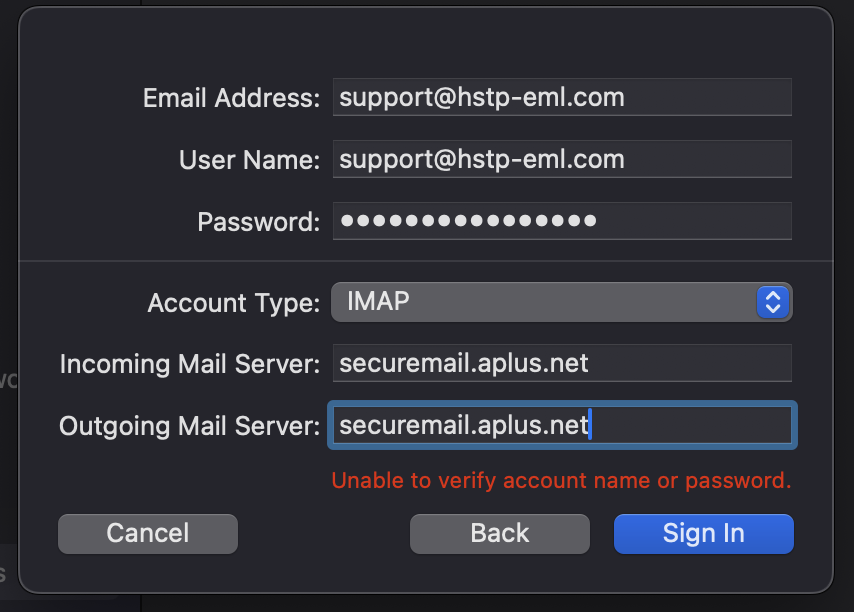
once the password has been entered incorrectly the customer should be prompted to a server settings page in which we can dictate the use of IMAP or Pop3
( on this screen they do have to use the correct password )
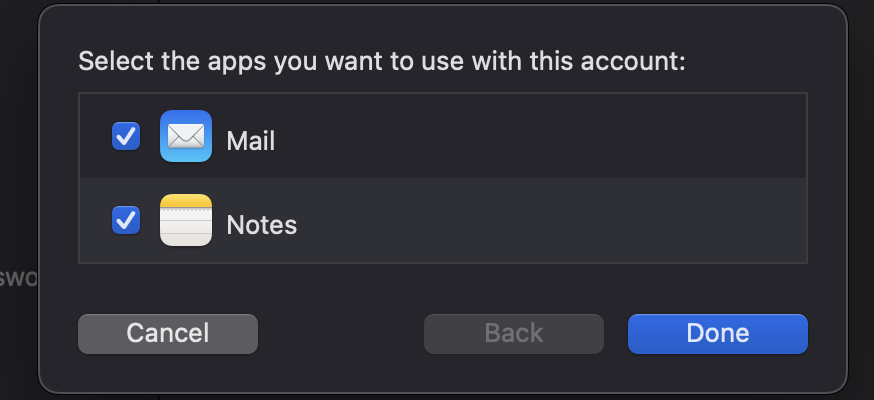
After the confirguration has been entered and they customer has clicked on "Done" the account will attempt to verify if succesful the next screen will ask the customer to chose the use of mail and notes, have the customer check off both and click on "done" once more
the account should now be active and functional