Modifying account settings ( Android )
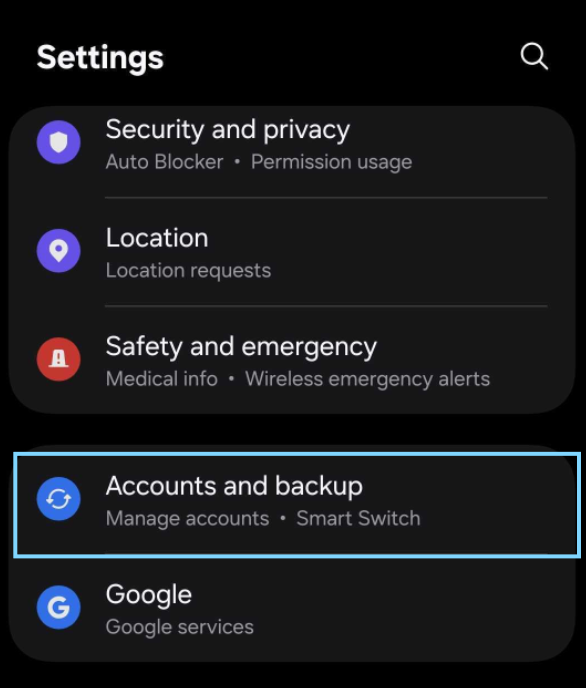
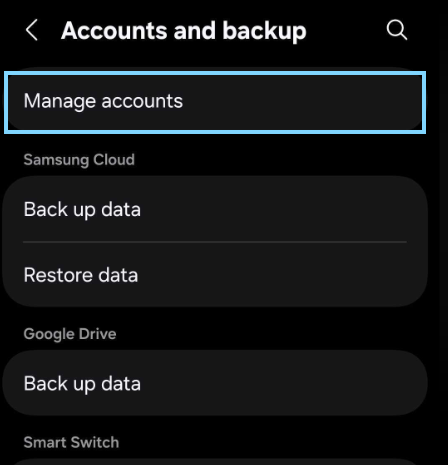
To modify the current server settings of you email on an android device,
Open Settings
select "Accounts and backup"
Select "Manage Accounts"
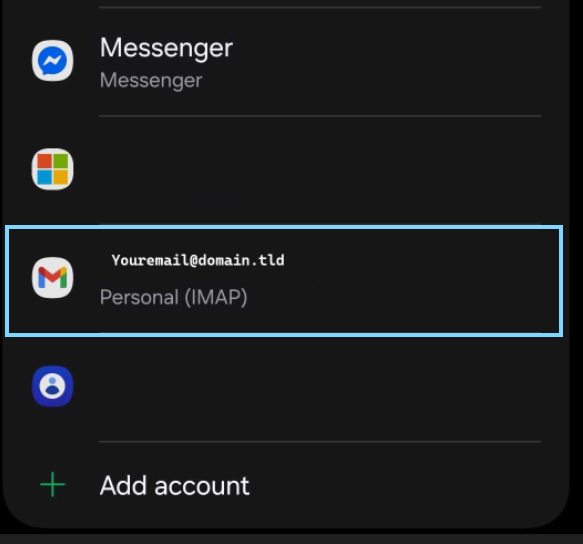
From the list of accounts select the email that you wish to edit
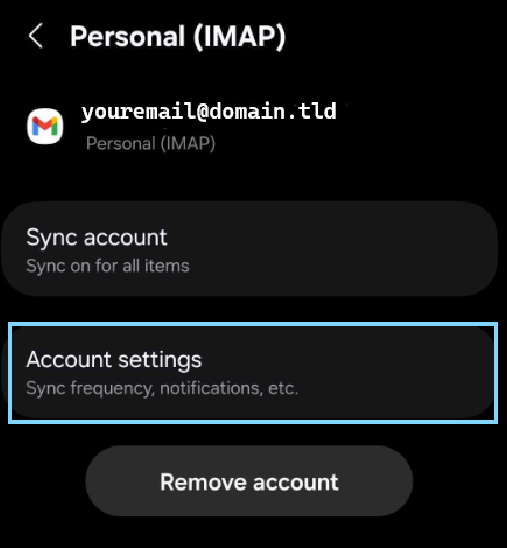
Select "Account settings"
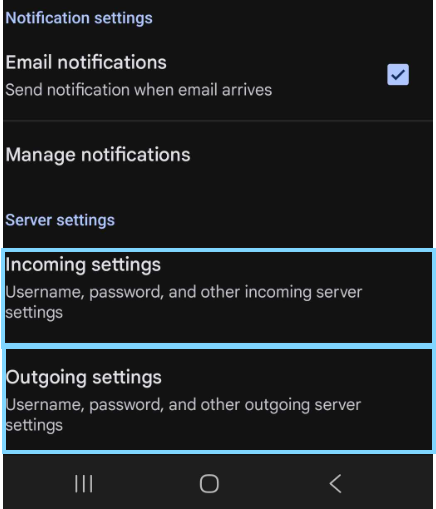
Scroll down to to the bottom of the list
Select "Incoming settings"
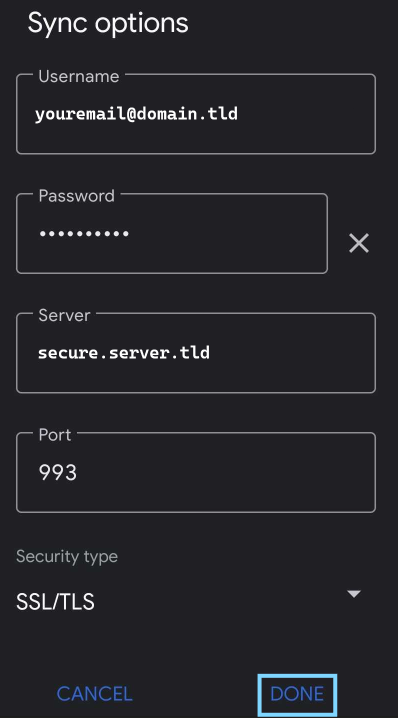
Enter the incoming server information provided by your email host and click on "DONE" to verify the incoming connection
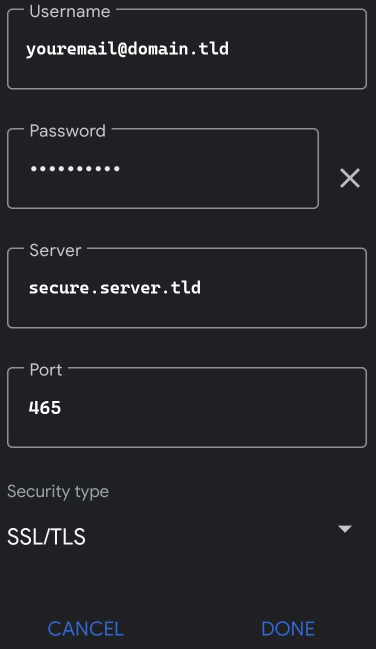
After the confirmation is complete tap on the outgoing settings option
enter the outgoing server information provided by your email host
Click on "DONE" to verify the SMTP connection
Once complete you should now be ready to send and receive emails.