Modifying account settings ( New Outlook)
In the " New Outlook " although we have the option to edit the SMTP mail server localy through the program itself the mail client dose not allow local alterations to the incoming pop3 or imap configuration
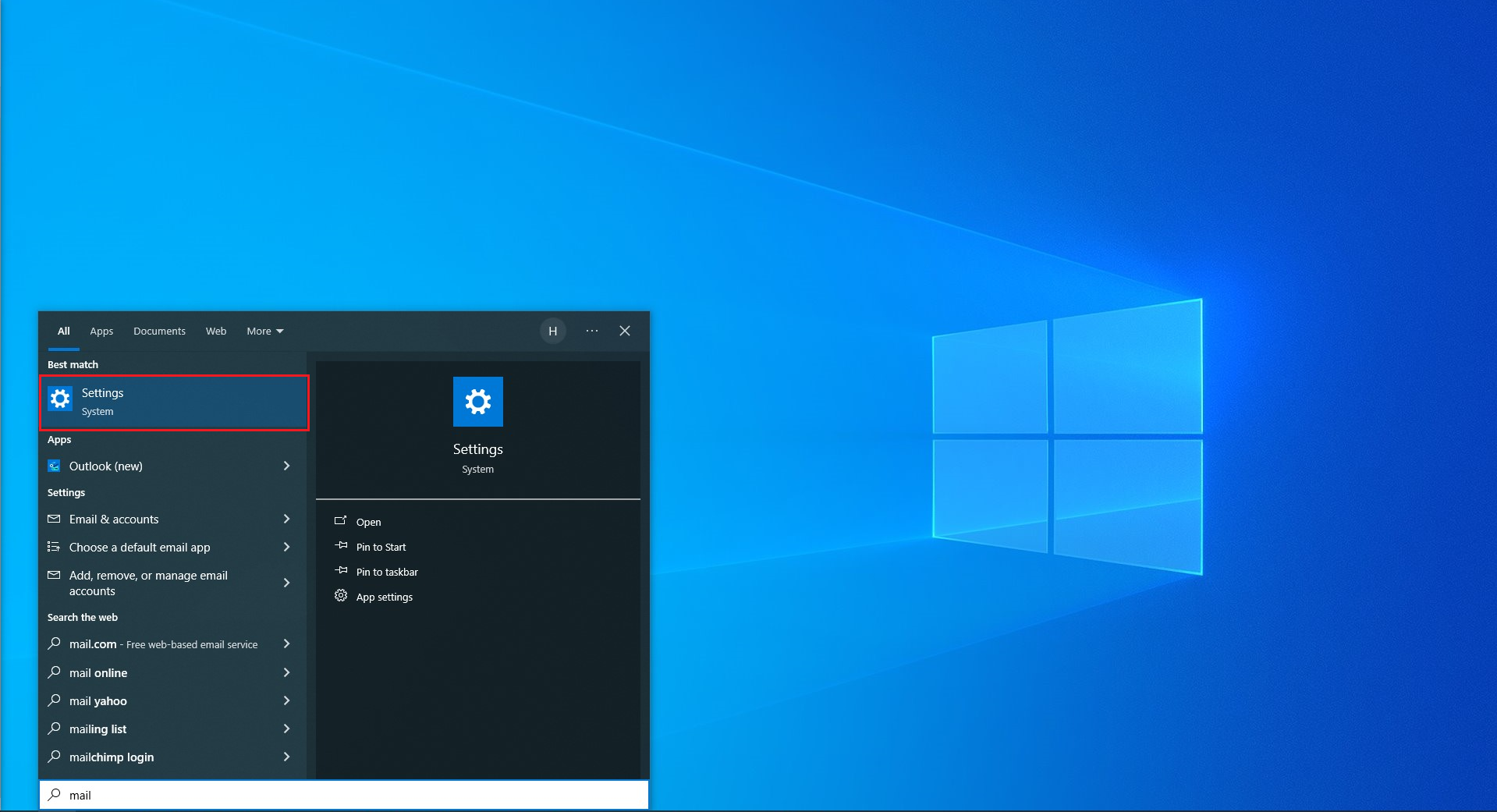
to modify these settings it will need to be done through the windows control panel, have the customer search for "Mail" in the widows task bar and Choose "Settings"
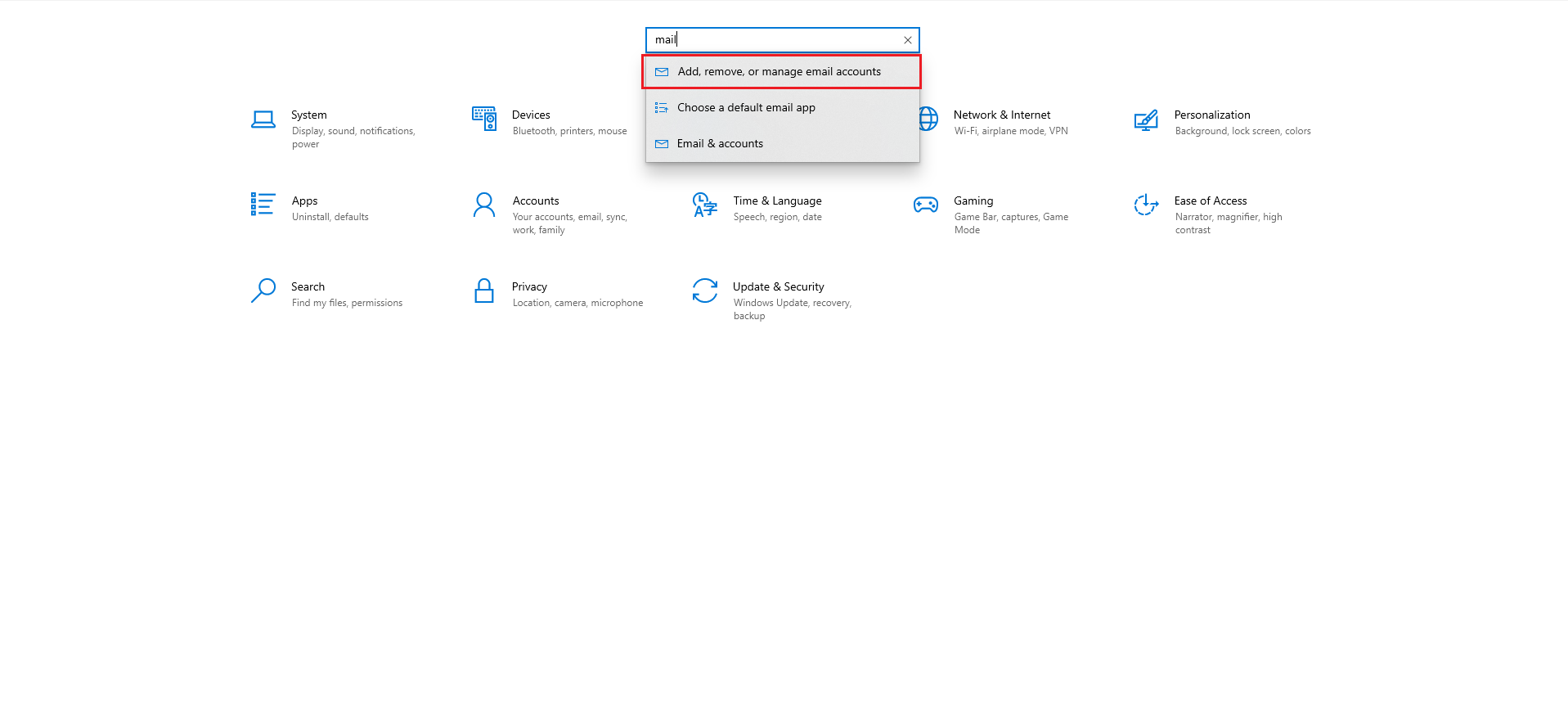
Once in the control panel have the customer search for "Mail" in the top search bar then select the option for "Add, Remove or manage mail accounts"
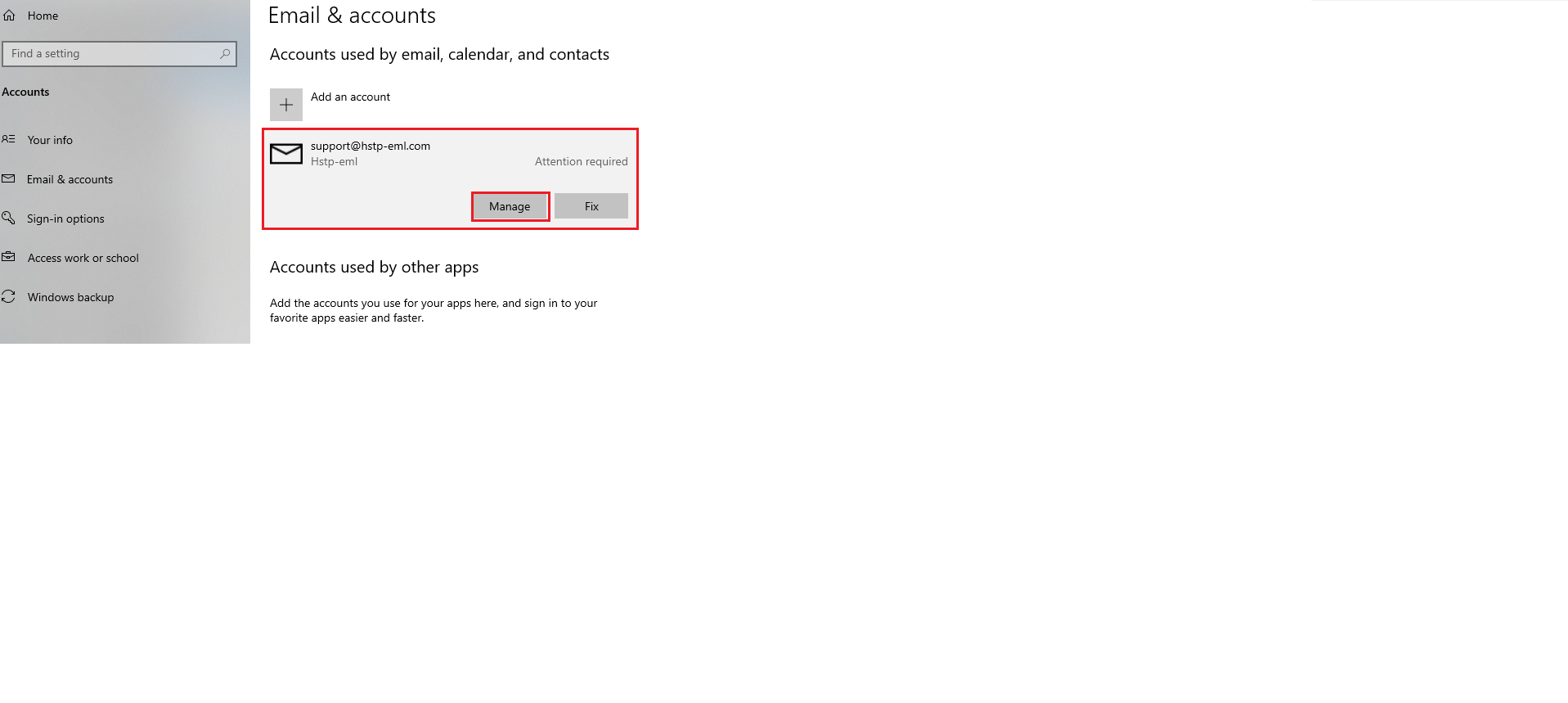
Have the customer click on the mail account they are having issues with then have them select
" Manage"
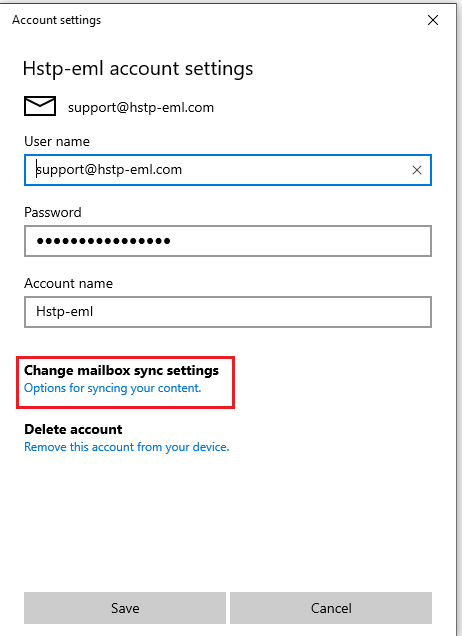
in the Window presented have the customer select "Change Mailbox sync settings"
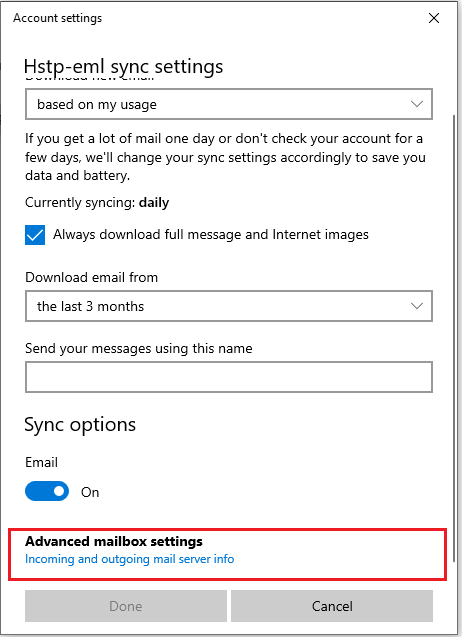
Have the customer scroll down and select "Advanced Mailbox Settings"
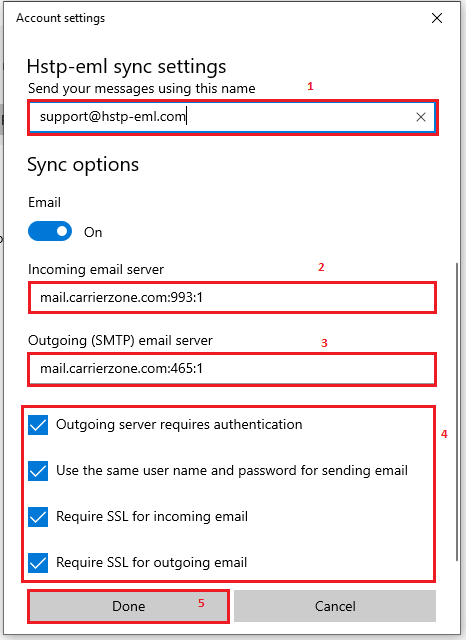
In the now populated screen the customer will be able to modify the incoming and outgoing server information for the account once properly configured have the customer fill in the line for "send your messages using this name" with the full email address and click on done
please note the format used in this screen should always be securemailserver:port:1 see below for an example of the configuration required for a customer hosted on aplus
ex1 - securemail.aplus.net:993:1
ex2 - securemail.aplus.net:465:1
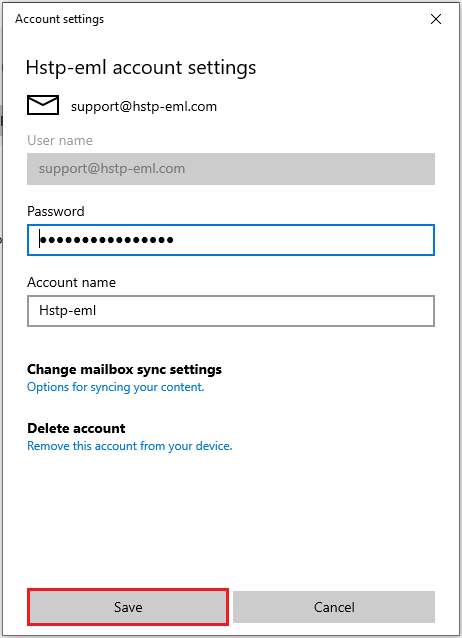
Once the customer has clicked on "done" they will be brought back to the main manage screen again have them click on "Save"
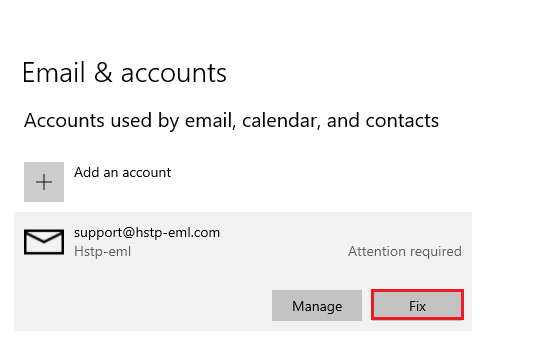
If the account is still showing "Attention Required" have the customer click on fix
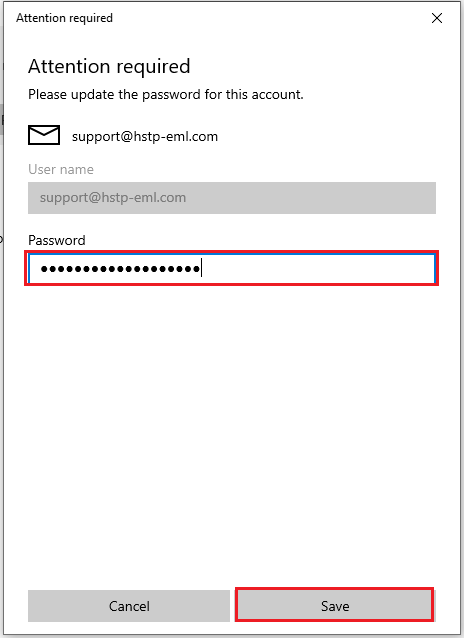
The customer should now be prompted to re-enter the email password to fully save the configuration once the password is entered and saved the modified settings should now take affect and reflect in the customers mail client