Removing an account ( New Outlook )
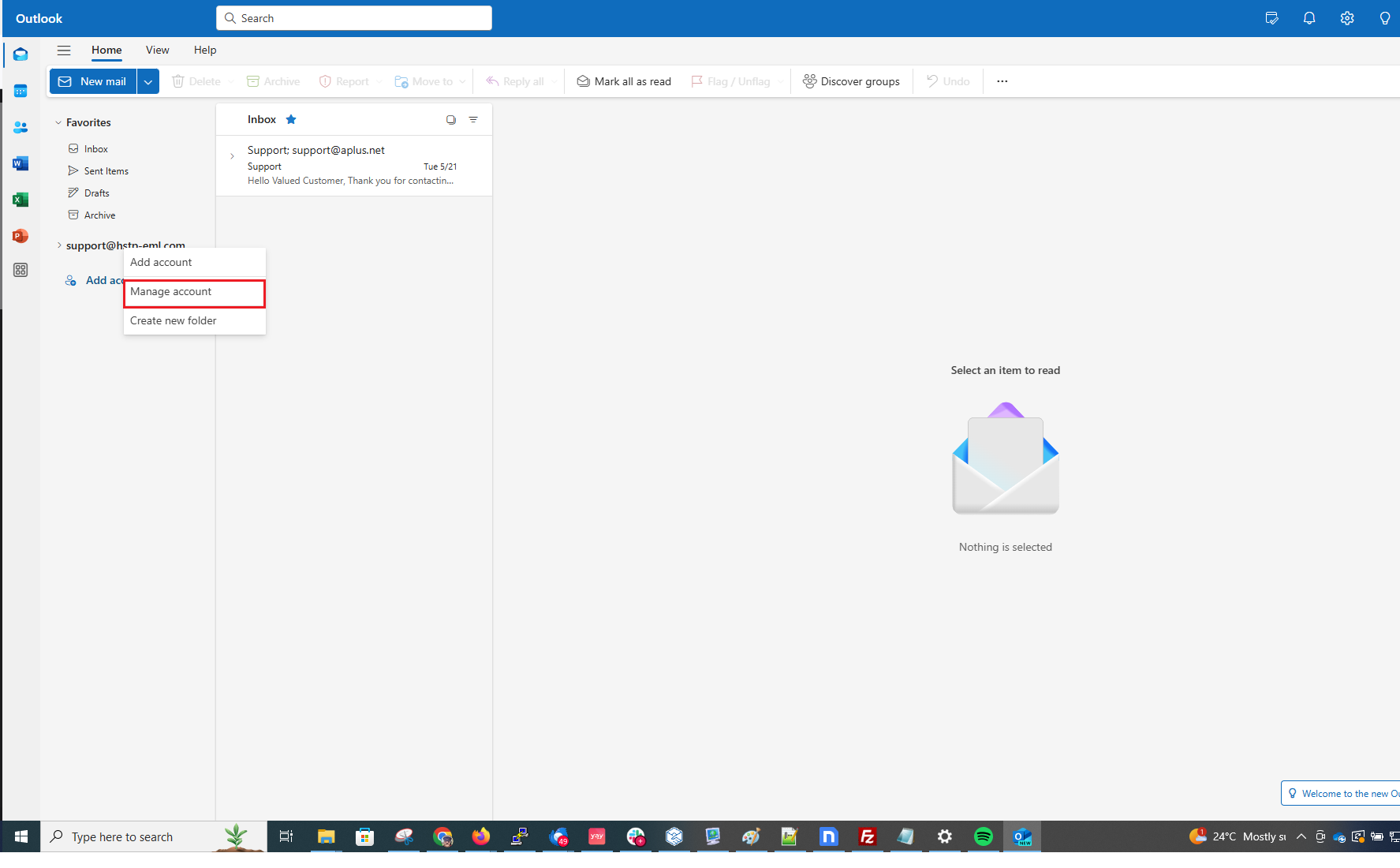
to remove an Account form the "New Outlook" have the customer right click on the account they want to remove and select "Manage Account"
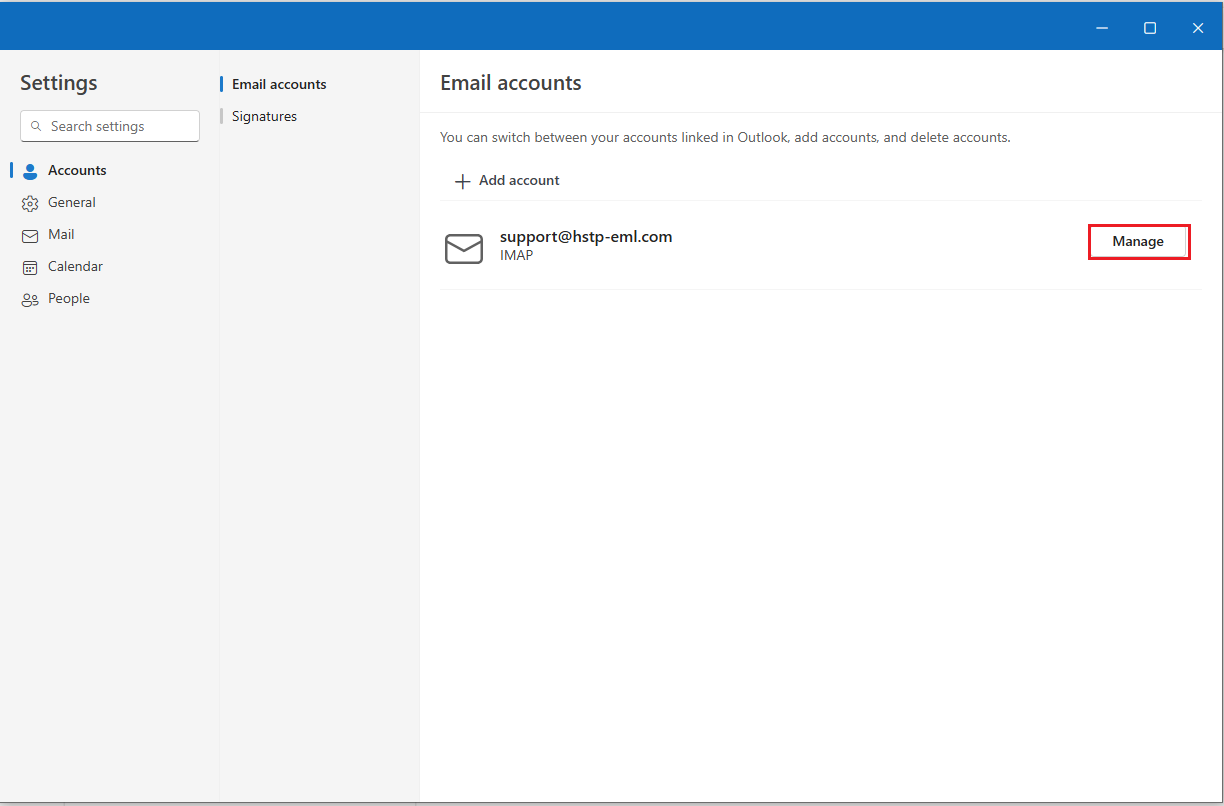
from here have the customer select "manage" once more
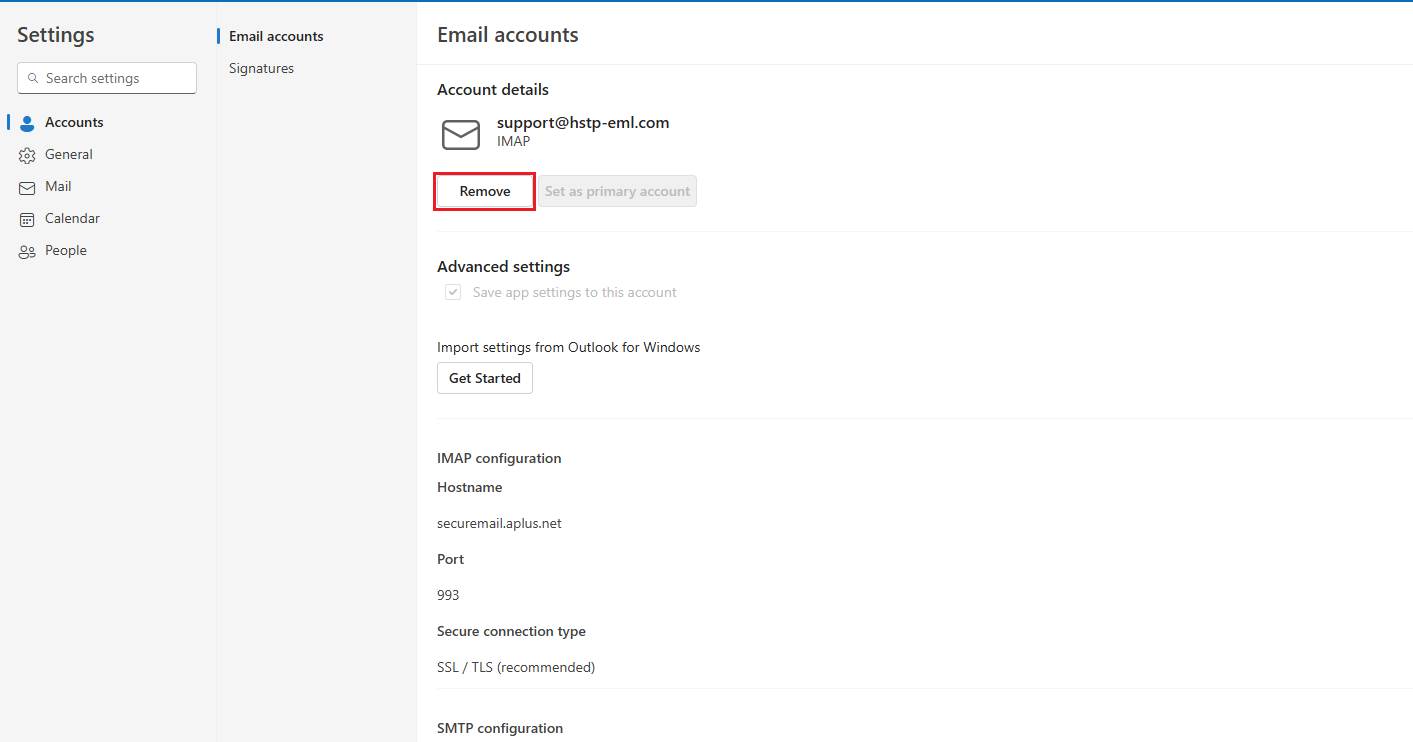
from this screen the customer should have a "Remove" option
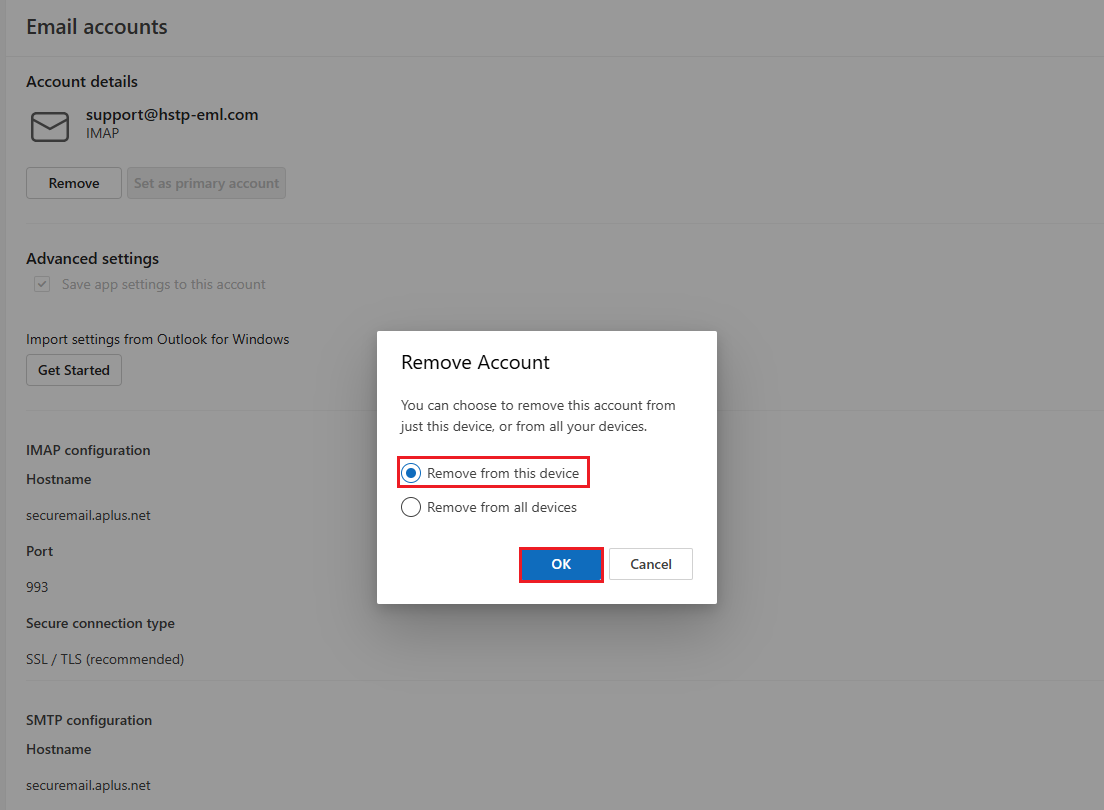
After selecting remove the customer will be given the option to select from the removal options, once they click on "OK" the account will be removed
We will only instruct the customer to select "remove from this device " as to avoid disabling mail on devices we are not working with.