Modifying account settings ( Outlook classic)
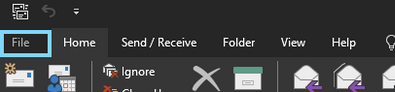
To modify an existing account to Outlook classic locate "File" in the top left hand corner of the mail program
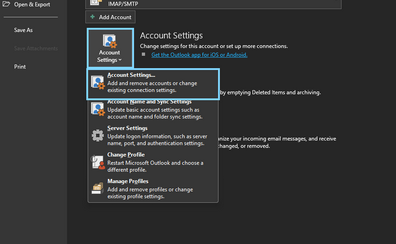
Under the "File" menu have the customer click on "Account settings" then Account settings again in the drop down
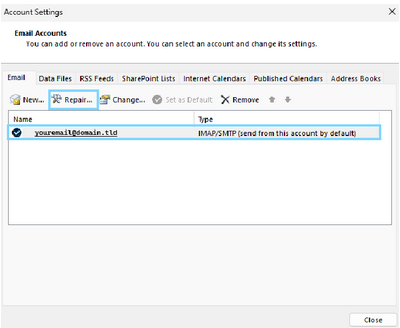
Once open click on the account you wish to modify the settings for then click on "Repair"
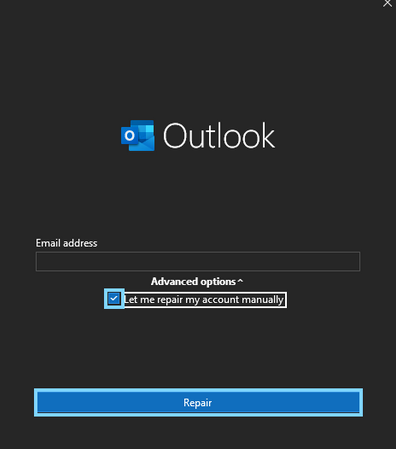
Check the box for "Let me repair my account manually" and click on "Repair"
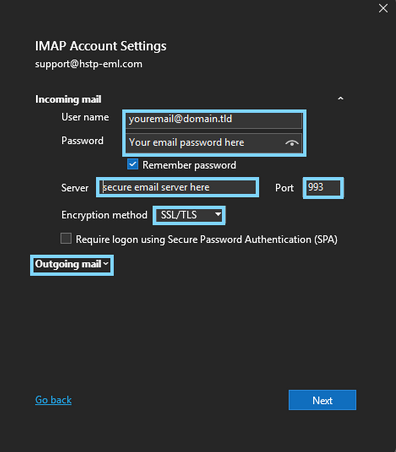
In the IMAP / pop3 Account Settings page you will need to confirm the incoming server information provided to you by your email hosting provider.
After entering the appropriate incoming server information, click on "Outgoing mail"
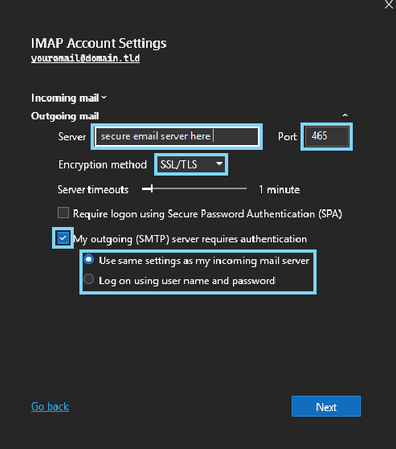
In the above screen fill out the appropriate information provided by your email host for SMTP connection, once entered click on "Next"
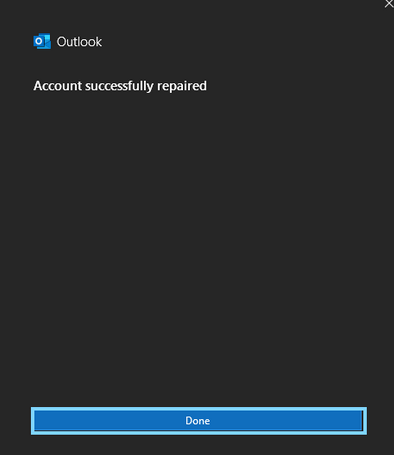
If the connection is successful you should be presented with the above screen to indicate the setup has been confirmed in finalized.
Click on Done and you are ready to send / receive emails