Removing an account ( outlook Classic)
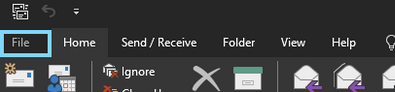
To remove and account in Outlook classic click on File
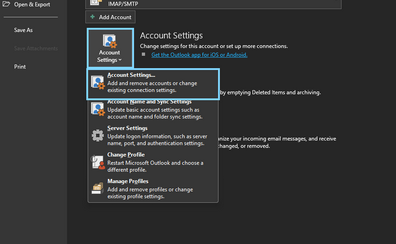
Select "Account settings" then Account settings again in the drop down menu produced.
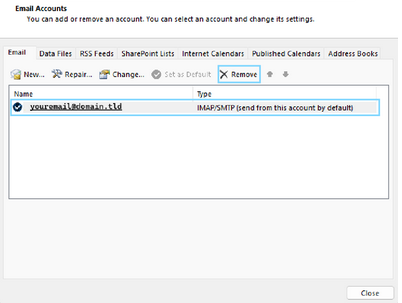
Select the account you wish to remove
Click "Remove"
Always double check to make sure the correct account is selected prior to clicking yes as to avoid un-nessesary or unwanted loss of email content
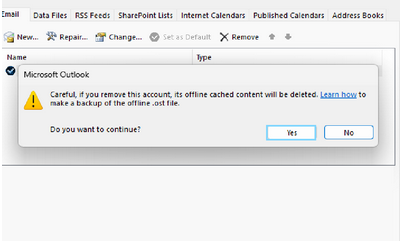
Once you are absolutely sure of the account you wish to remove and that backups have been taken if necessary
Click "yes" , and outlook will remove the account and associated cached data.
once removed we are free to set the account up in outlook once more through following the steps provided in account set up
 Account set up