Removing an account ( Thunderbird )
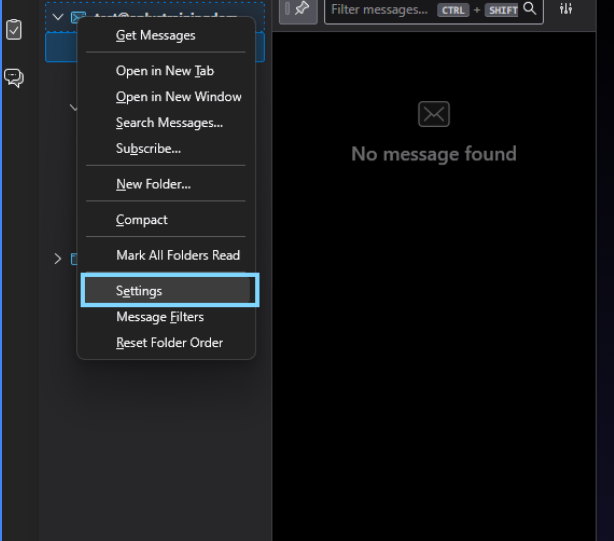
To remove the account from Thunderbird right click on the email you wish to remove and click on "Settings"
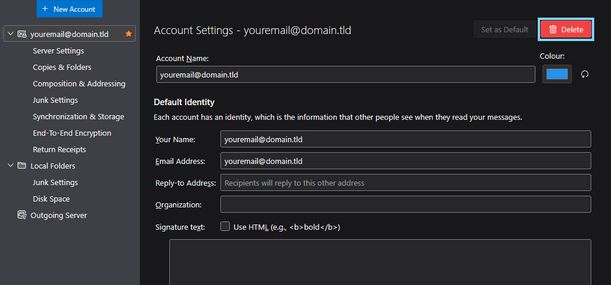
Click on Delete
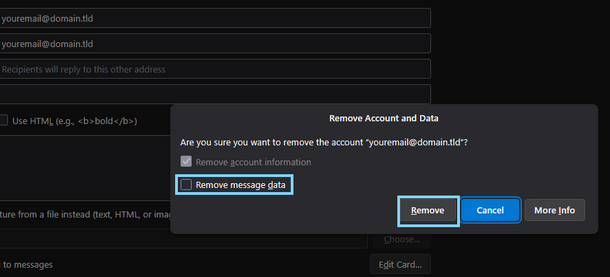
Check the box beside "Remove message data" to avoid leaving un-needed message data on your machine
Click on "Remove" to fully remove the profile from your thunderbird installation
With the account now fully removed please see "Account set up" for steps on how to re-add the account to the thunderbird mail program
 Account set up